Keyboard shortcuts
Start, stop and capture from any app with BestShot's global shortcuts, and change them in Settings.
BestShot's global shortcuts work from any app, even when the BestShot window is closed. Each one starts at once, without opening a window first.
Global shortcuts
| Action | Mac | Windows | What it does |
|---|---|---|---|
| Record | ⇧⌘5 | Alt+Shift+1 | Starts a Record take |
| Link | ⇧⌘6 | Alt+Shift+2 | Starts a Link take |
| Shot | ⇧⌘4 | Alt+Shift+3 | Takes a screenshot |
| Meeting | ⇧⌘7 | Alt+Shift+4 | Starts or stops a meeting |
| Highlight | ⌃⇧⌘H | Alt+Shift+H | Marks a moment in a meeting |
| Stop | ⌃⇧⌘S | Alt+Shift+S | Stops the take or meeting |
Record, Link and Shot use the screen or window you chose last.
macOS's own screenshot shortcuts
macOS uses ⇧⌘4 and ⇧⌘5 for its own screenshots. While those are on, BestShot uses ⌃⌥⌘4 for Shot and ⌃⌥⌘5 for Record instead.
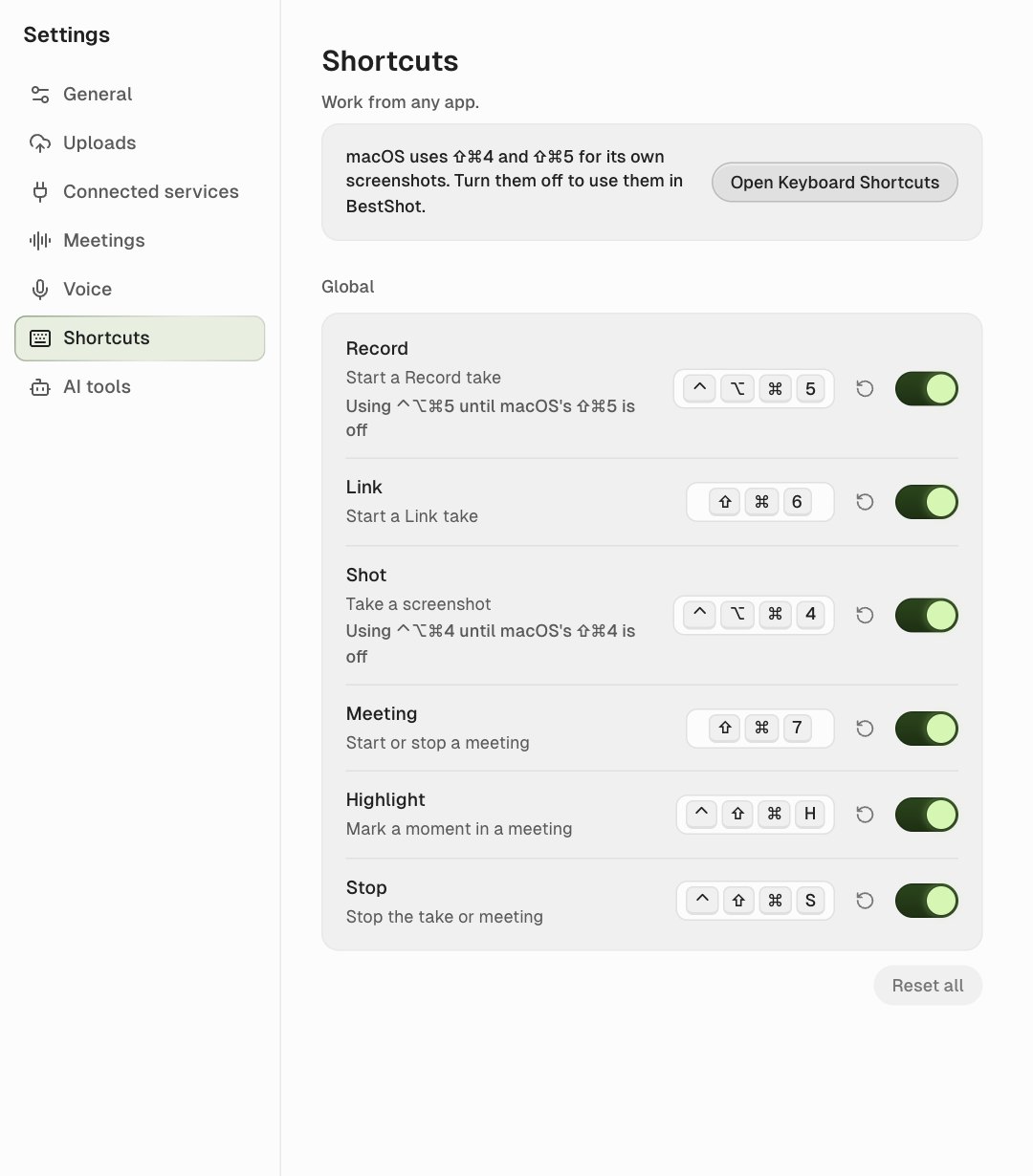
To use ⇧⌘4 and ⇧⌘5 in BestShot, click Open Keyboard Shortcuts on the Shortcuts page and turn off the screenshot shortcuts in macOS. BestShot switches over by itself.
Change a shortcut
Open Settings → Shortcuts.
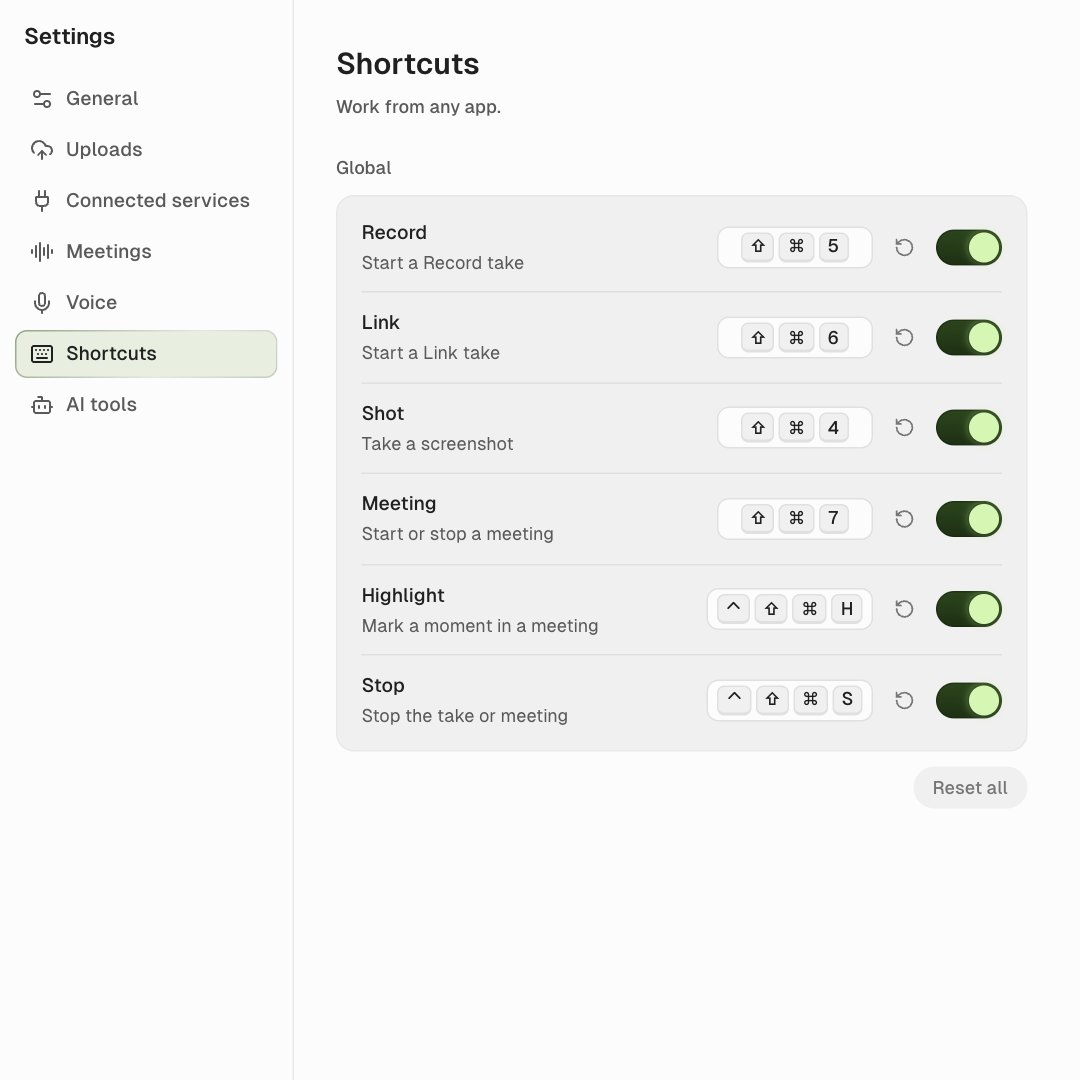
- Change it: click the key field, then press the new combination. Press Esc to cancel, or Backspace to clear it.
- Turn it off: use the switch at the right of the row.
- Reset it: click the round arrow beside the field, or Reset all for every shortcut.
A shortcut needs ⌃, ⌥ or ⌘ (Ctrl or Alt on Windows); F1–F24 can be used alone. If another app already uses a combination, the row says In use by another app.
BestShot only reads the keys you press in the shortcut field, to set the shortcut. It never records your typing.
Shortcuts inside the BestShot window (Mac)
| Keys | What they do |
|---|---|
| ⌘1 … ⌘7 | Go to Home, Recordings, Screenshots, Meetings, Guides, Write, Settings |
| ⌘, | Open Settings |
| ⌘F | Search the current section |
| ⌘I | Import files |
| ⌘\ | Show or hide the sidebar |
| ⌘W | Close the current tab |
| ⌘⇧[ / ⌘⇧] | Move between tabs |
Still stuck? Email support and tell us what you tried.