Record
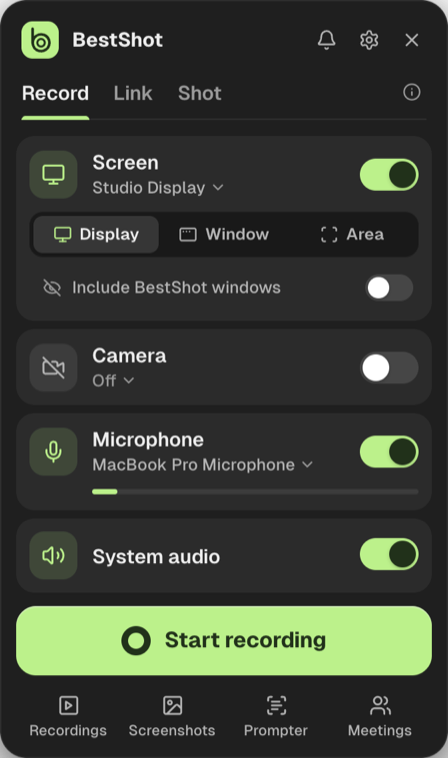
A studio take that opens in the editor. Screen, camera, mic and system audio each keep their own track.
 BestShot
Open Watch
BestShot
Open Watch
Record it. Link it. Shot it.
Then share the full picture.
BESTSHOTRECORD / LINK / SHOT / MEETINGS / GUIDES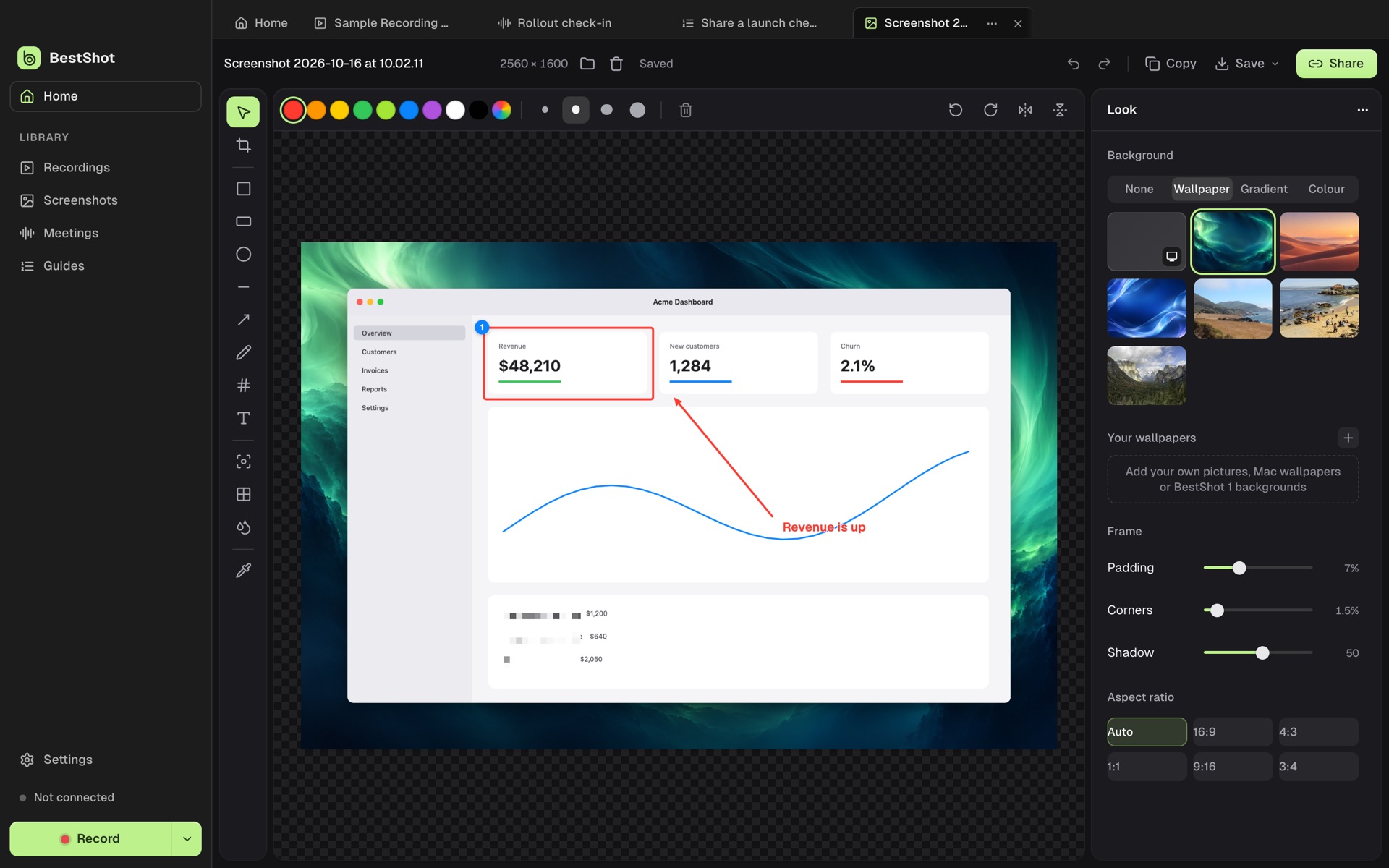
LESS EXPLAINING. MORE SHOWING.
The bug that’s hard to describe. The call you’ll need to remember. The process nobody wrote down.
Make it a shot. BestShot brings capture, editing, meeting notes, guides and sharing into one window.
THREE WAYS TO CAPTURE
A studio take that opens in the editor. Screen, camera, mic and system audio each keep their own track.
An instant take. Stop, and it uploads to Watch and copies the link.
A screenshot that opens straight in Screenshot Studio.
Display, window or area. Start from the panel, the menu bar or a shortcut.
A SMALL STUDIO. A BIG DIFFERENCE.
Every take, shot, meeting and guide.
Edited, shared and searchable.
Home, Recordings, Screenshots, Meetings and Guides in one sidebar. Each item opens as a tab.
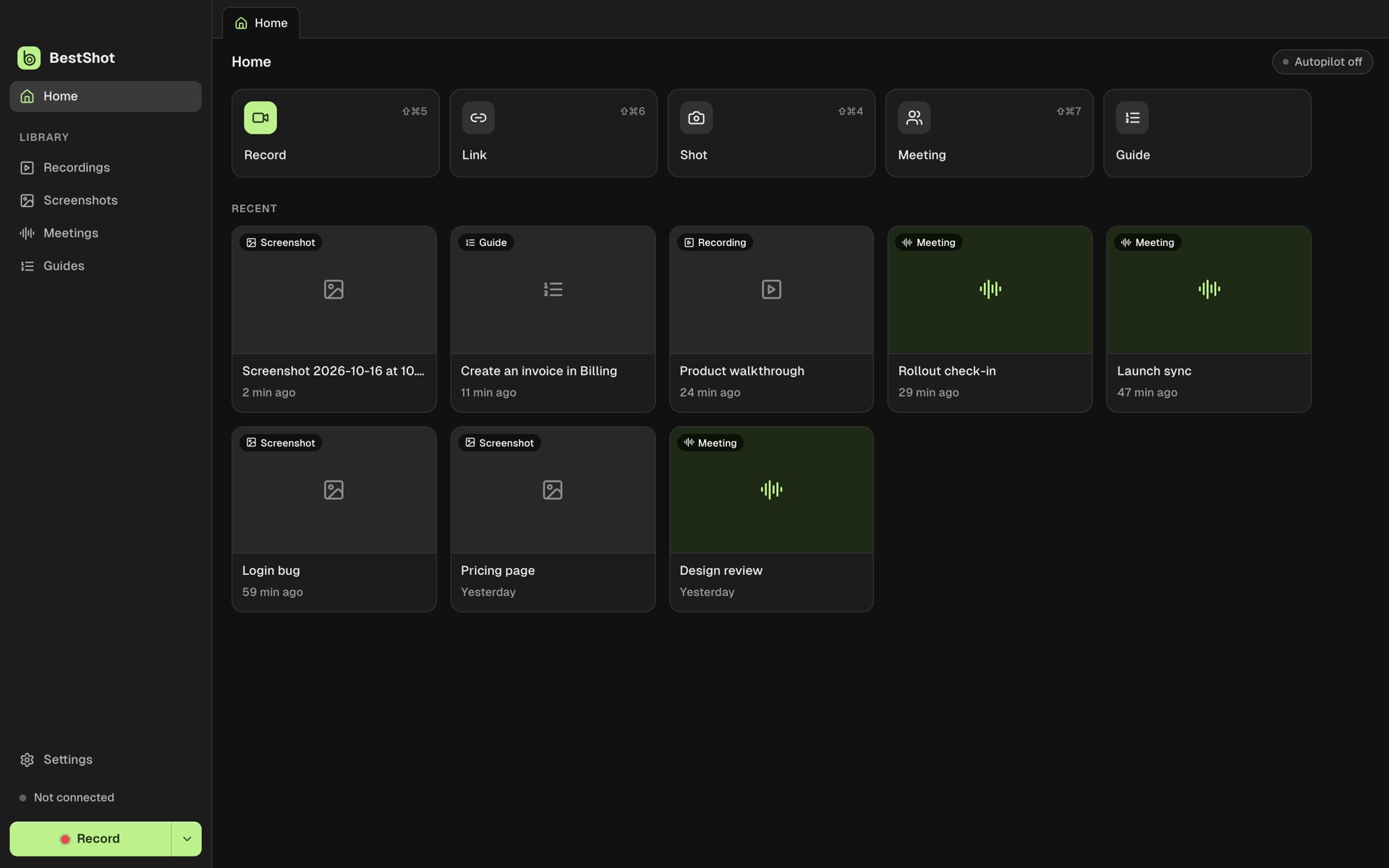 BestShot · fictional demo data
Every track is its own file. Edit clips, speed, zooms, scenes, masks, text, backgrounds and the cursor without touching the recording.
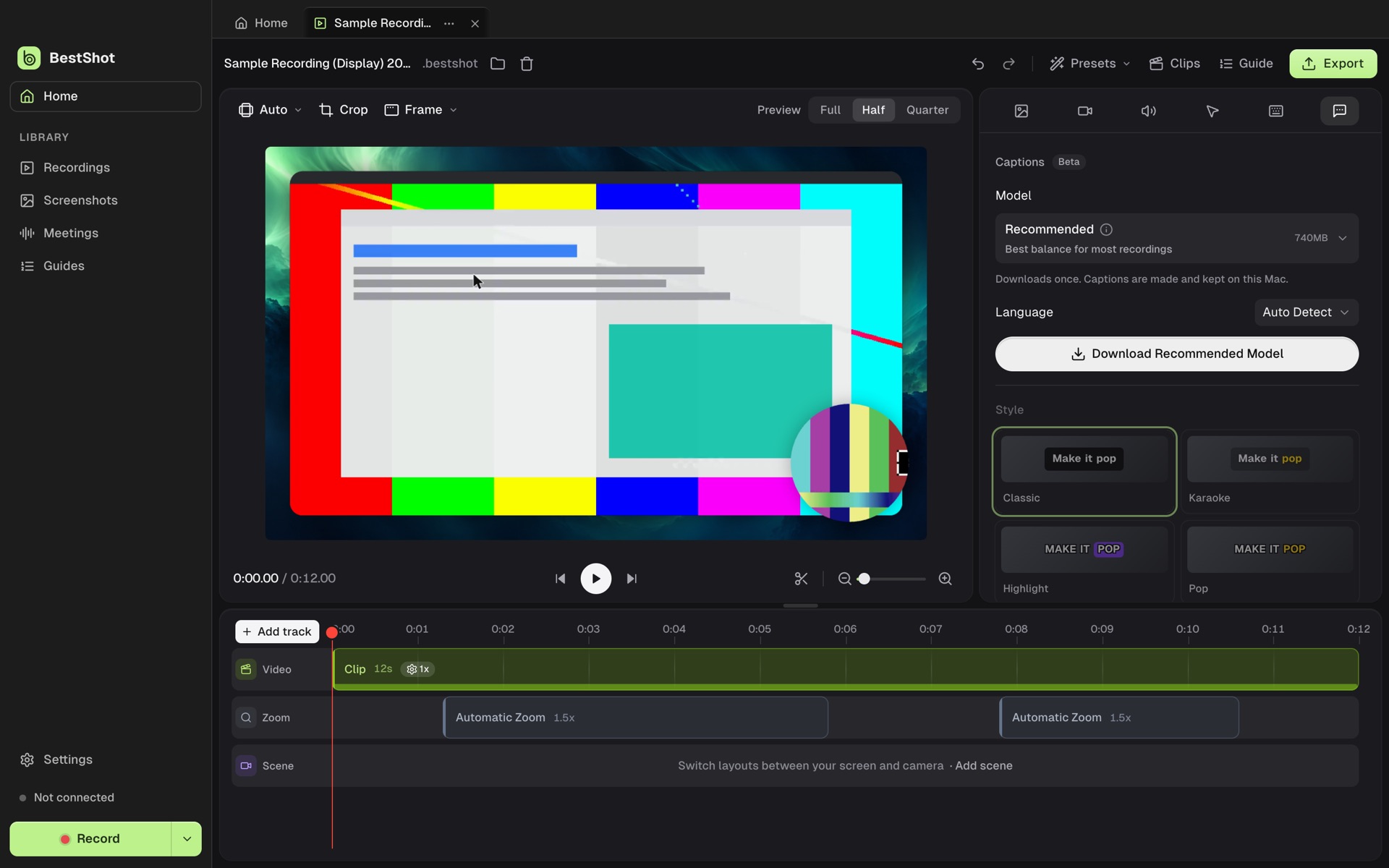 BestShot · fictional demo data
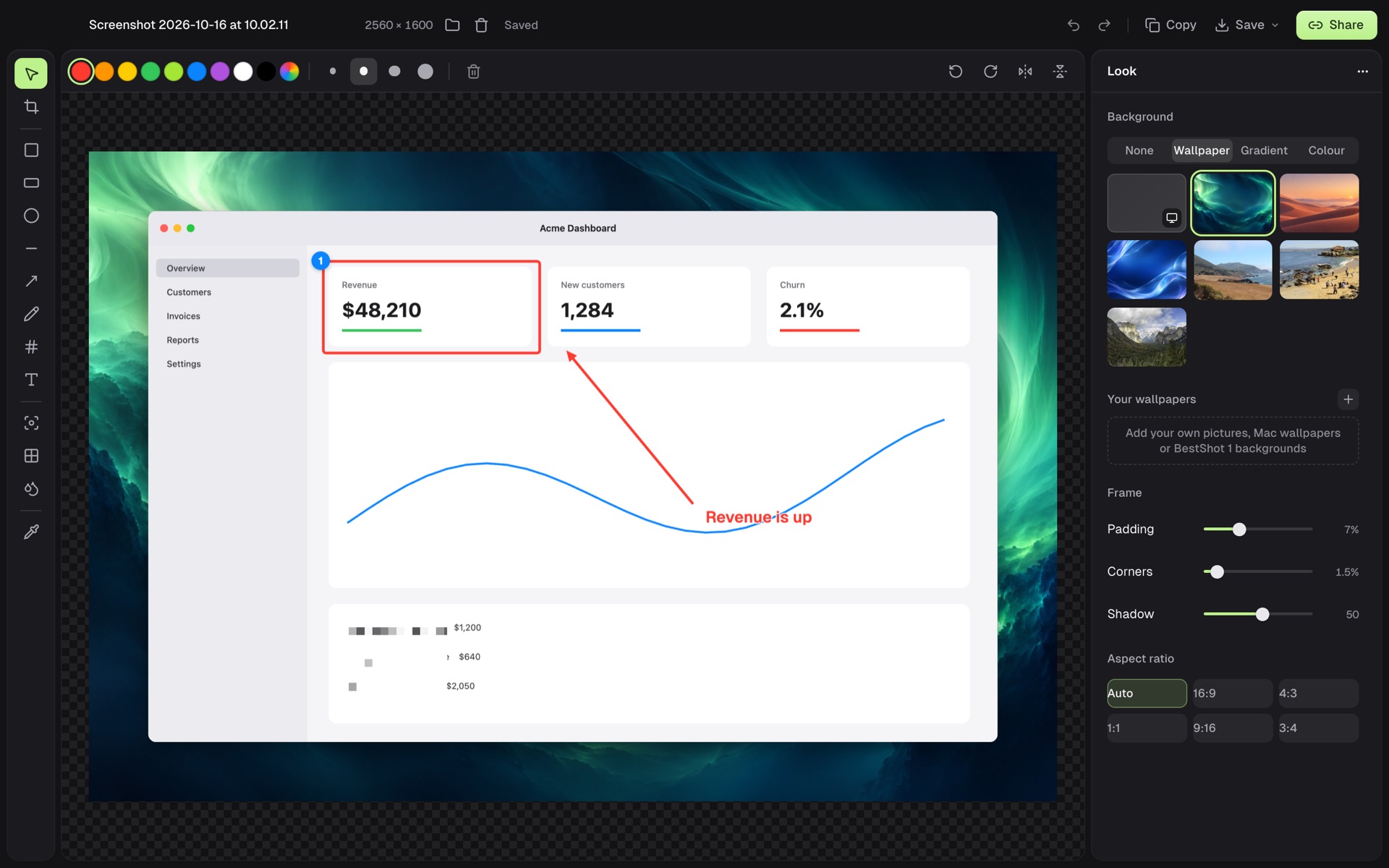
Annotate, crop and frame a screenshot on a wallpaper, gradient or colour. Edits stay editable; the original stays untouched.
 BestShot · fictional demo data
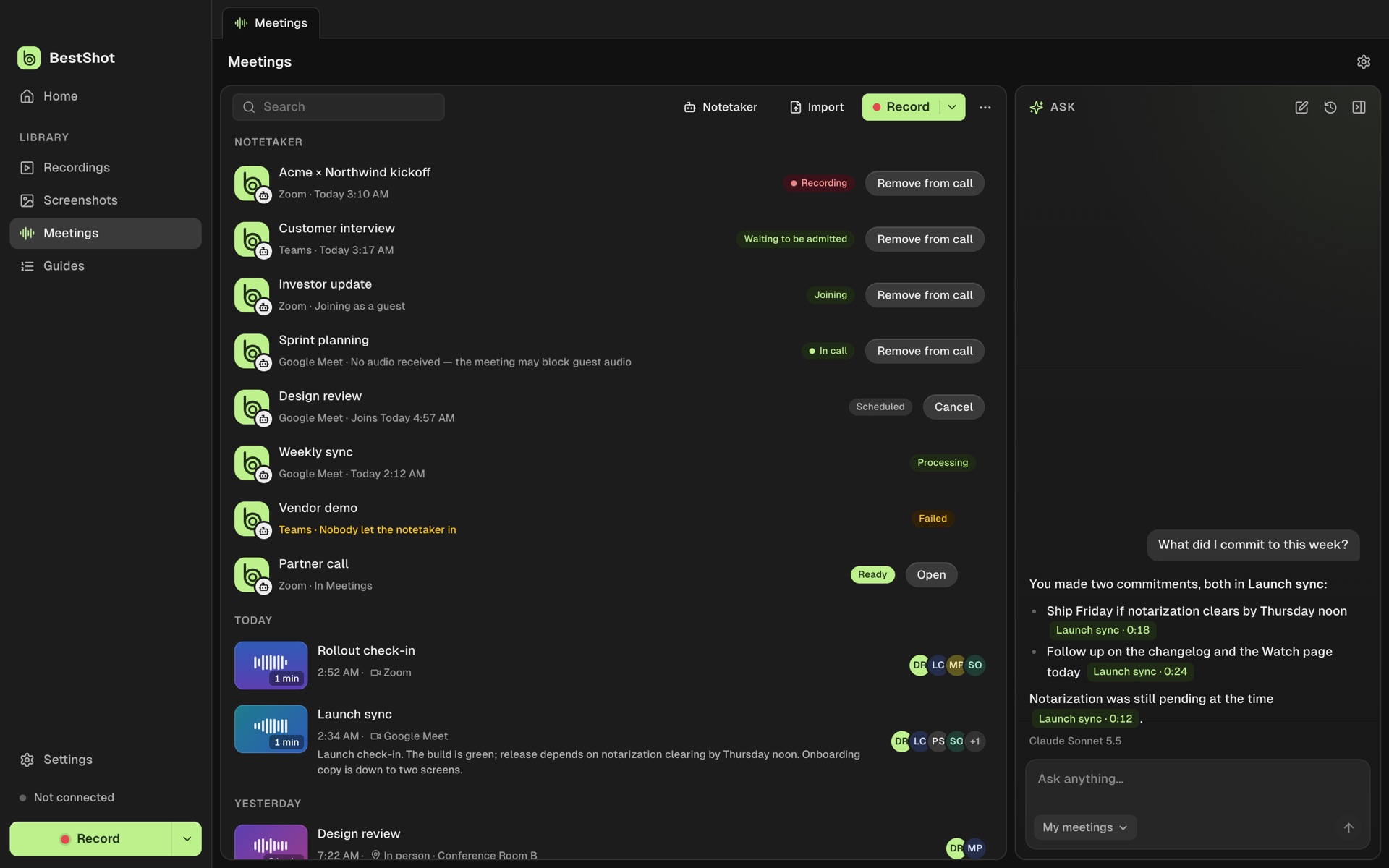
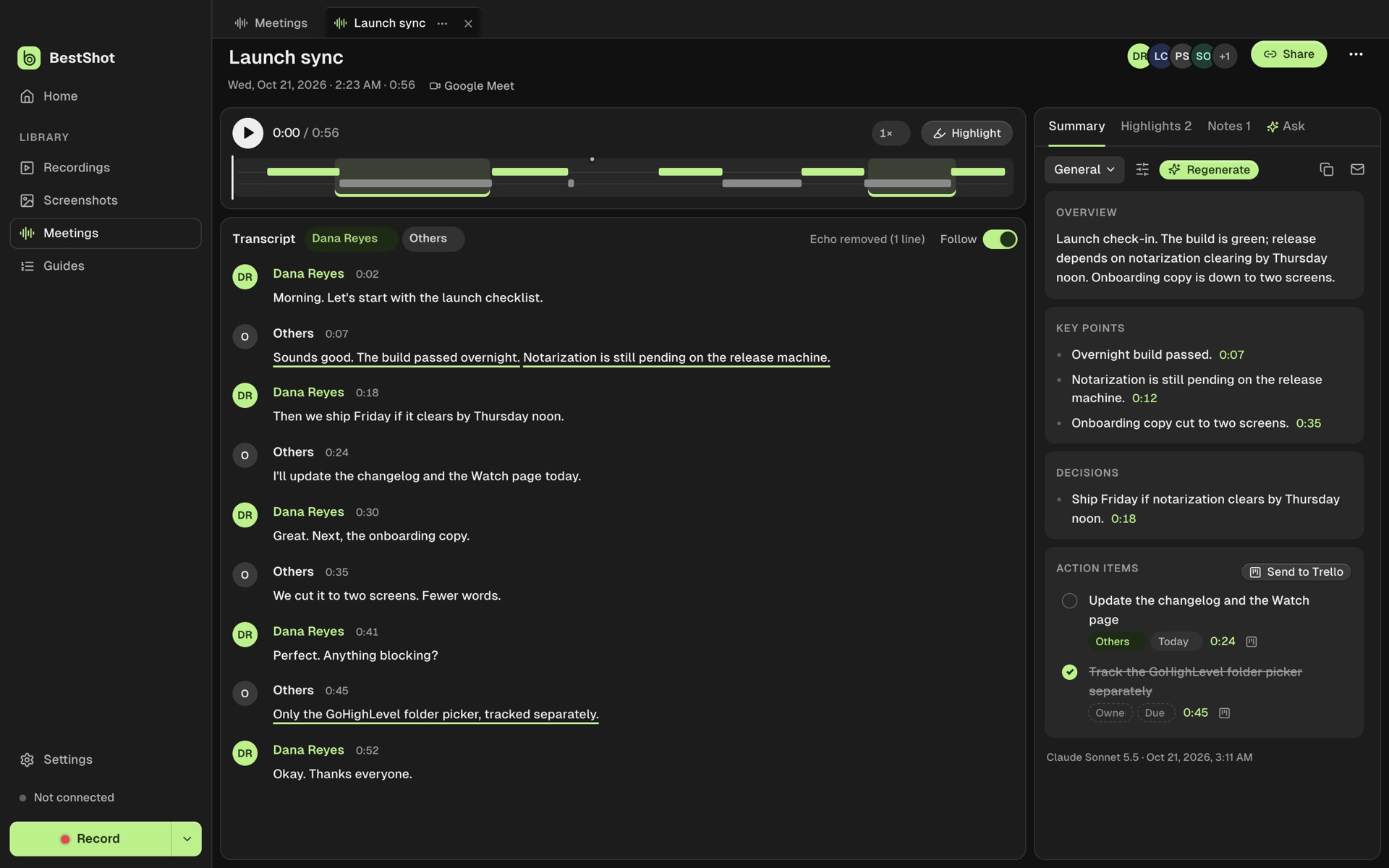
Transcripts with speakers, made on your Mac. Then a summary, highlights and action items, and Ask across all your meetings.
 BestShot · fictional demo data
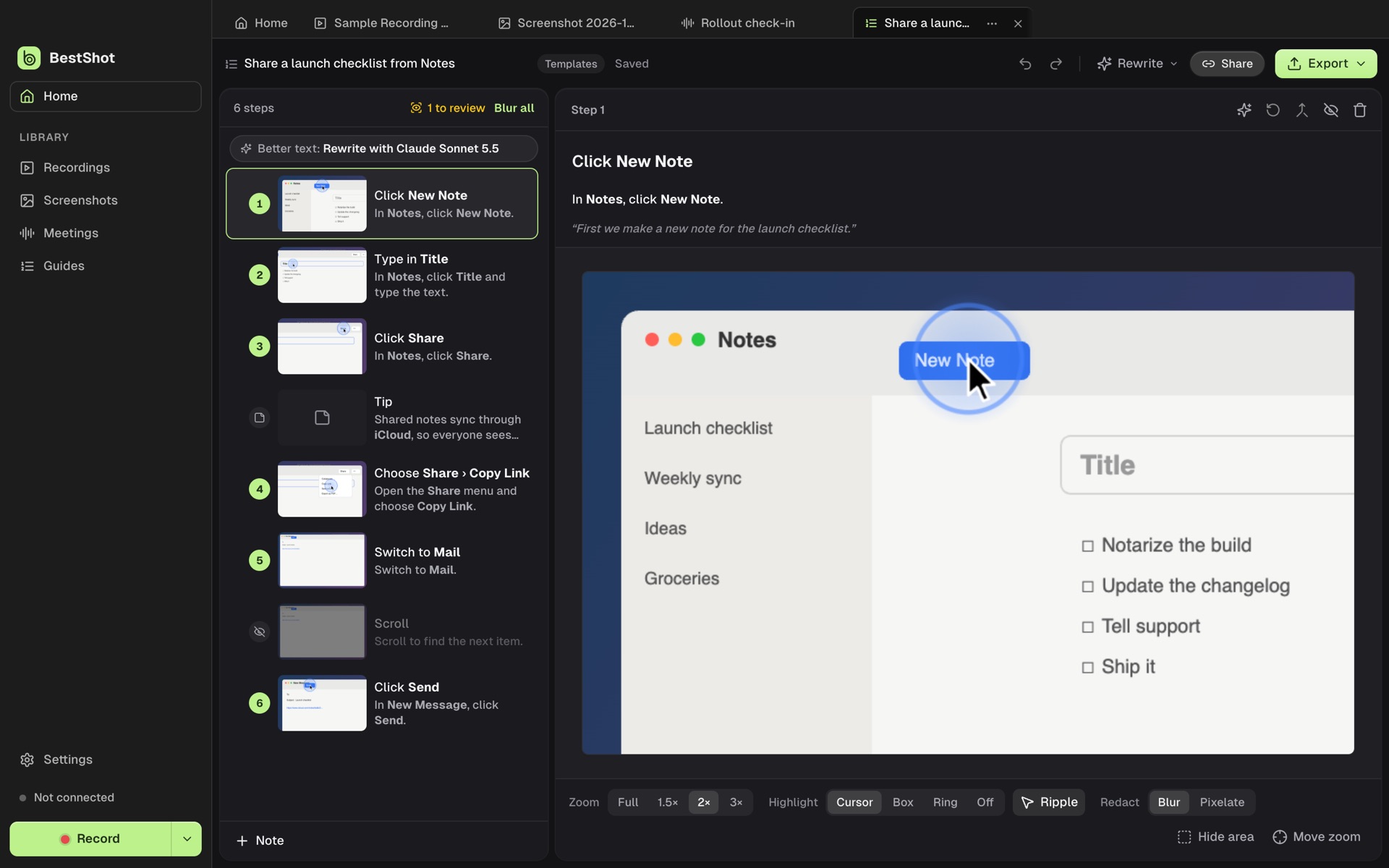
Turn a recording into a step-by-step guide: one step per click, each with a zoomed screenshot and the real cursor.
 BestShot · fictional demo data
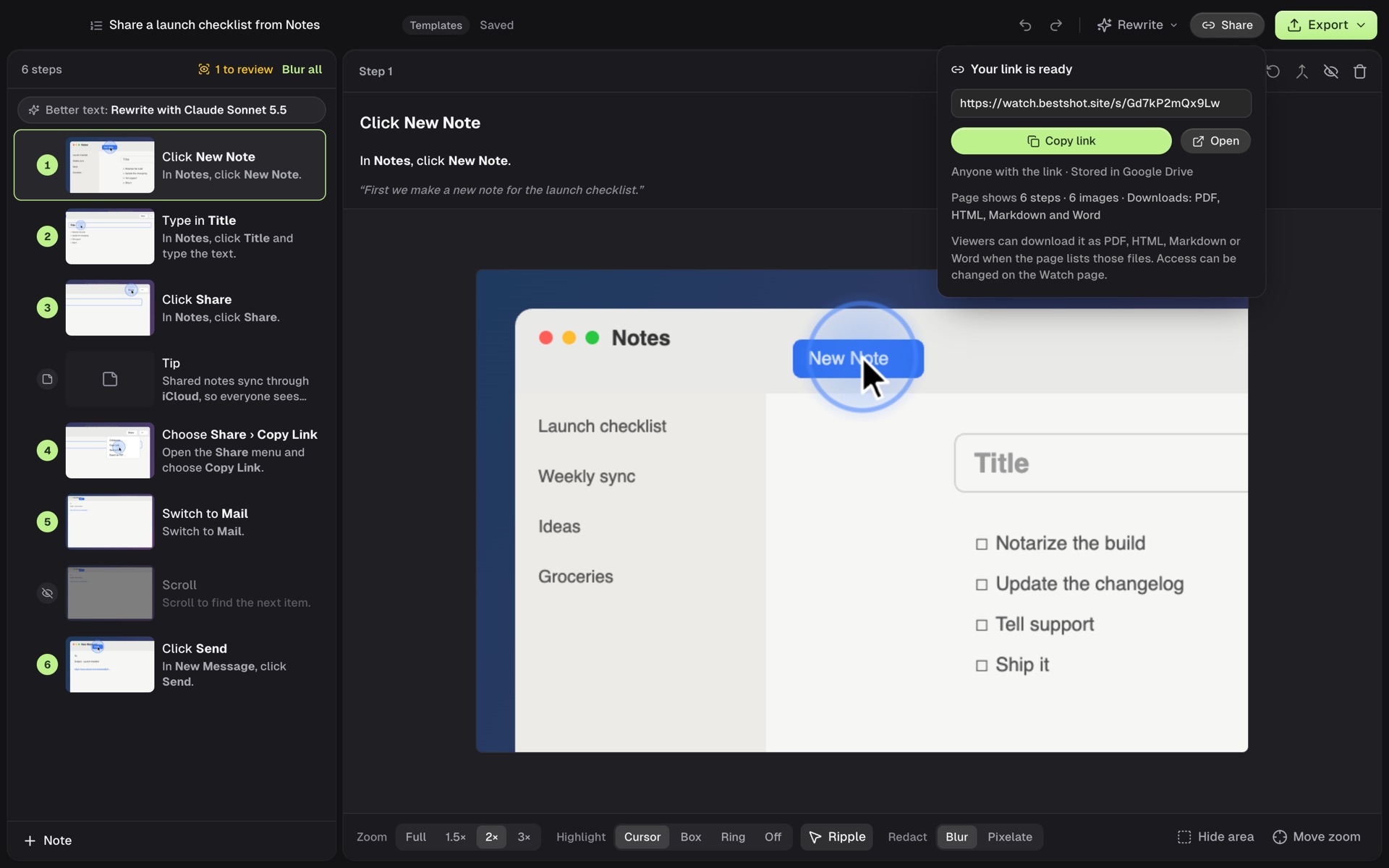
Share a recording, screenshot, meeting or guide as a BestShot Watch link, stored in your Google Drive or GoHighLevel.
 BestShot · fictional demo data
A floating script that scrolls at your reading speed and stays out of your recordings.
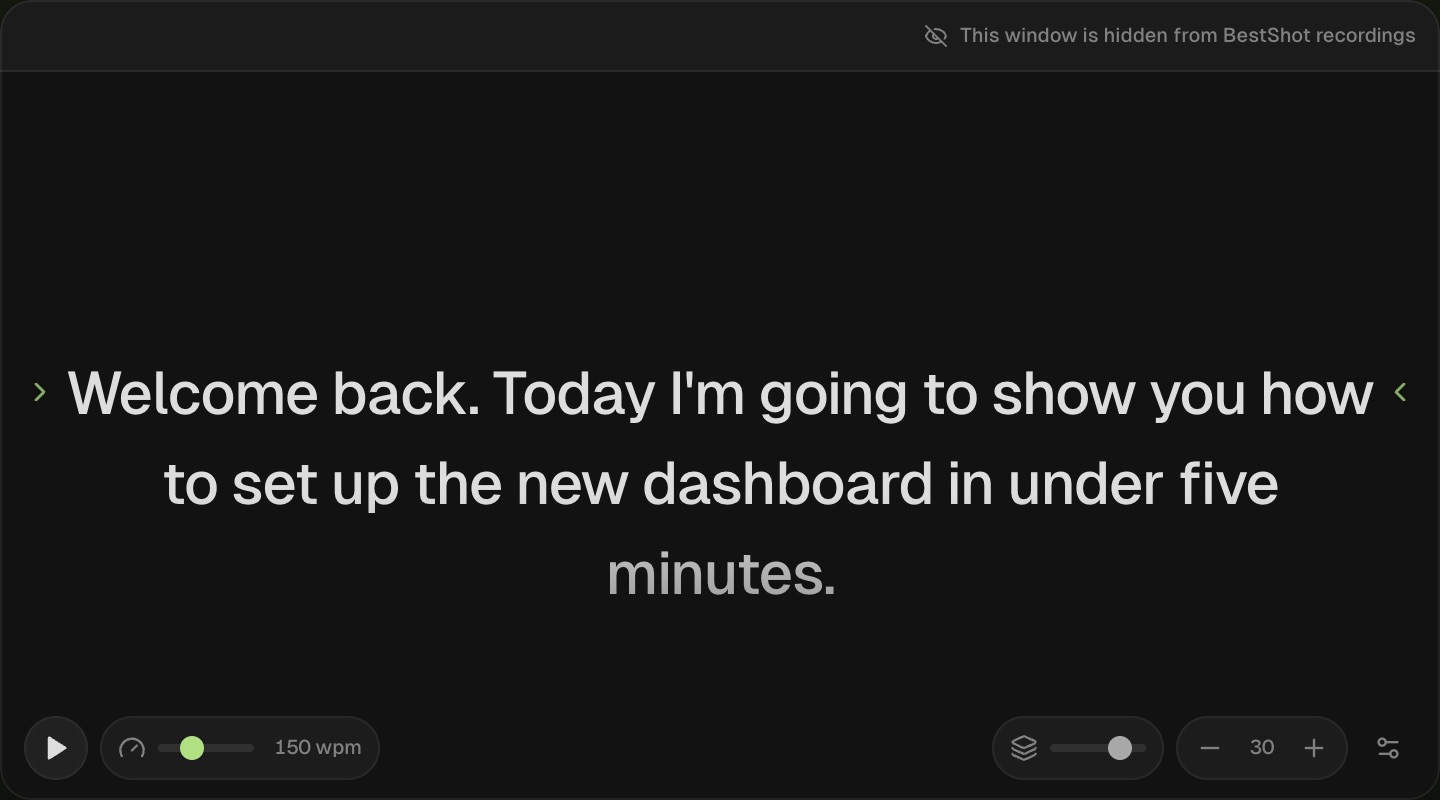 BestShot · fictional demo data
Claude Code, Claude Desktop and Codex connect through the built-in MCP server to read meetings and guides, record, export, ask and share.
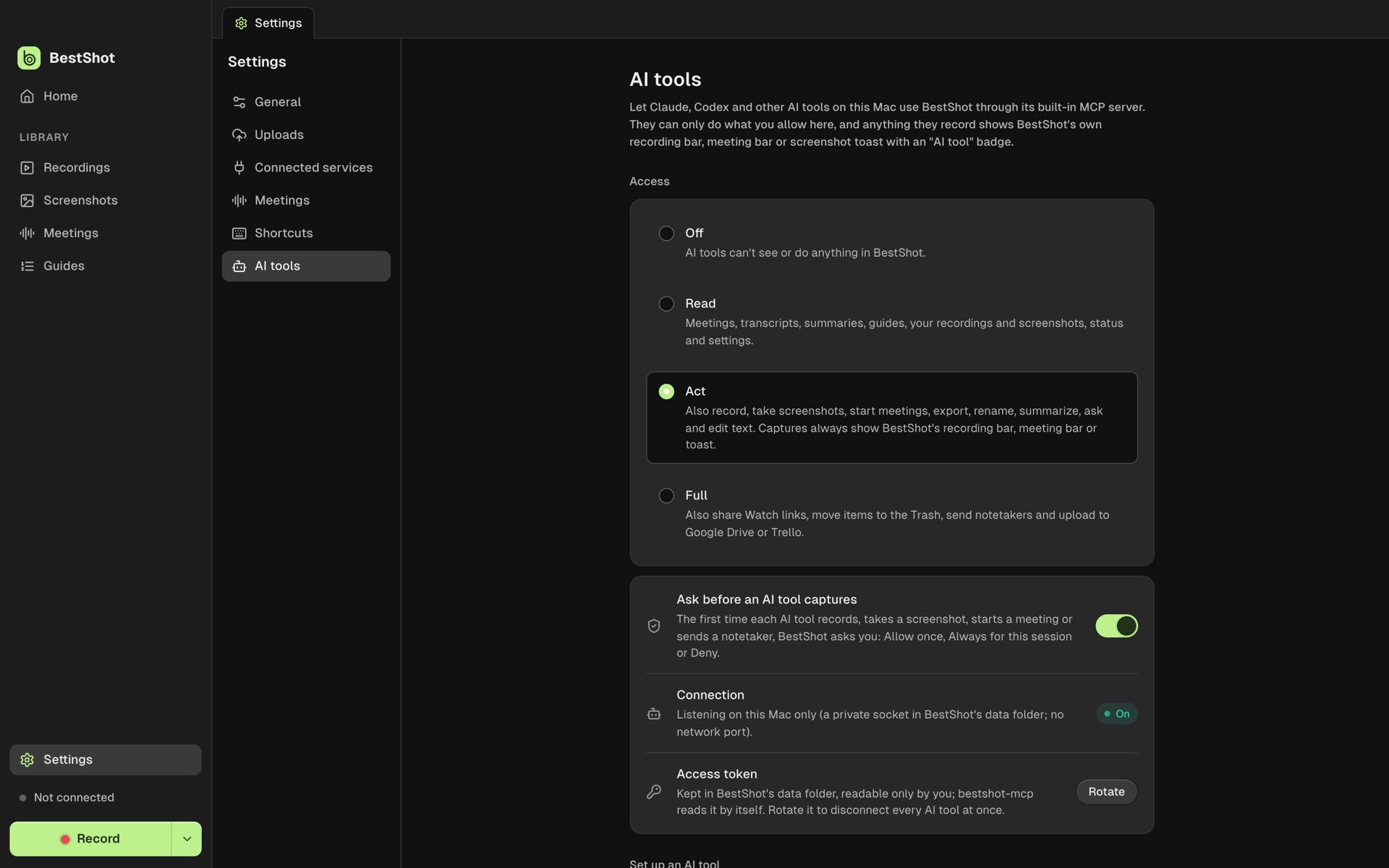 BestShot · fictional demo data
BestShot · fictional demo data
MEETINGS · LOCAL NOTES
Audio and transcripts stay on your Mac. You choose which AI writes the summary.
GUIDES · SOPS FROM RECORDINGS
One step per click, plus pointing, screen changes and narration. BestShot draws the real cursor on each screenshot and suggests blurs for sensitive data.
AI TOOLS · MCP
The bundled bestshot-mcp works with Claude Code, Claude Desktop, Codex and shell scripts. It reads meetings and guides even while BestShot is closed.
BUILT AROUND YOUR WORK
Recordings, screenshots, transcripts and models stay on your Mac until you choose to share.
Every track is its own file. The editor and Screenshot Studio never change your source.
Signed updates download in the background. Restart when you’re ready—never mid-recording.
A FEW THINGS TO KNOW
An Apple Silicon Mac with macOS 15 or newer. Download the signed, notarized BestShot DMG and drag BestShot into Applications. Nothing else to install: video and audio use macOS’s own frameworks, so FFmpeg isn’t needed. Updates arrive inside the app. Apple’s on-device summaries need macOS 26.
Yes. Download the BestShot installer for 64-bit Windows; it updates itself like the Mac app. The previous Windows version stays on the releases list.
Into BestShot’s folder on your Mac. When you choose to share, you can use Google Drive or GoHighLevel Media Storage with a BestShot Watch page. Storage availability and upload limits depend on your provider.
No. Transcription runs on your Mac with a speech model you download once. Summaries and Ask can use Apple’s on-device model or a downloaded local model. Anthropic or an OpenAI-compatible endpoint are optional, with your own key.
It’s in beta. A hidden browser joins Google Meet, Zoom or Teams as a guest, records the call and brings it back as a meeting. Local meeting capture on your Mac doesn’t need it.
Connecting Drive is a separate permission step after sign-in. BestShot requests access to the specific files you use with the app, rather than your entire Drive. Uploads are organized in a BestShot folder. You can disconnect Drive from your Watch account menu or revoke access in your Google Account settings.
Yes. Sign in to BestShot Watch and choose “Record in browser.” Your browser asks which screen, window, or tab to capture. Connect Google Drive to publish browser shots.
Yes, BestShot is free to download and use. Your storage provider, or an AI provider you connect with your own key, may charge separately.
MAKE IT A SHOT.