Send a notetaker to a call (beta)
Let BestShot join a Google Meet, Zoom or Teams call as a guest and record it for you, even when you're not there.
The notetaker joins a call for you as a guest named after you ("Dana's BestShot notes"), records what it hears, and leaves when the call ends. The recording then becomes a normal meeting, transcribed on your computer, with summaries, Ask and sharing like any other.
The notetaker is in beta. It runs on your computer in a hidden Google Chrome window, so your computer has to be on and awake for the call. It can join Google Meet, Zoom and Microsoft Teams links, not Webex.
Send it
- In Meetings, click Notetaker.
- Paste the Meeting link.
- Choose Now, or At a date and time up to 30 days ahead.
- Click Send (or Schedule).
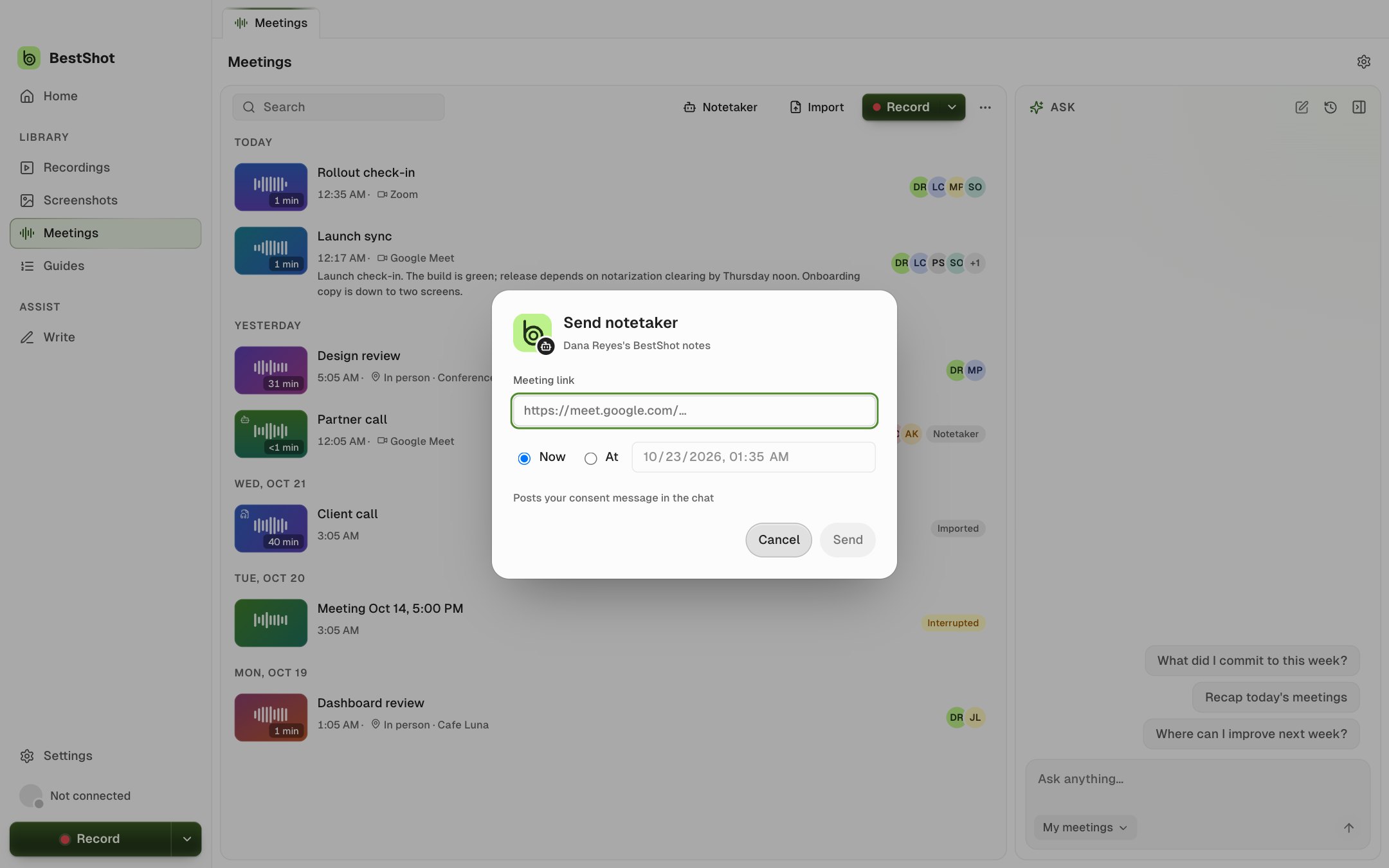
Follow it in the library
Your notetakers appear in a Notetaker group at the top of Meetings, with their status: Scheduled, Joining, Waiting to be admitted, In call, Recording, Processing, Ready or Failed.
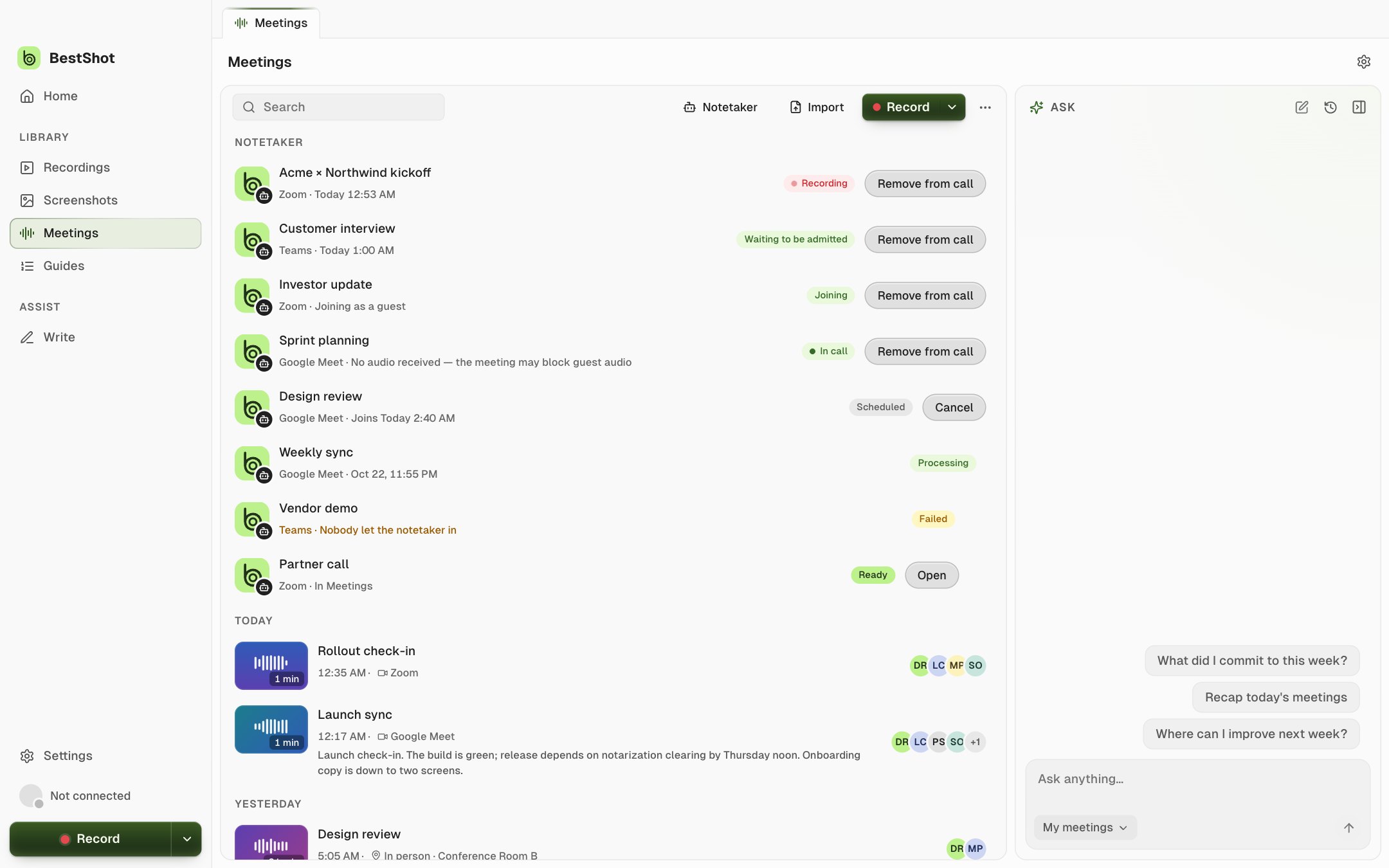
- Cancel stops a scheduled notetaker.
- Remove from call makes it leave.
- Open opens the finished meeting.
It leaves by itself when the meeting ends, when everyone else has left for 2 minutes, after a long silence, or at the Leave after limit (3 hours by default). If the call gives the guest no sound, the row says "No audio received".
Settings
In Settings → Meetings → Notetaker:
- Runs on: This Mac (beta). It uses Google Chrome; without Chrome, BestShot offers to download Chrome for Testing when you click.
- Name in the call: the guest name people see.
- Consent message: a message the notetaker posts in the call's chat when it joins, telling people the call is recorded. On by default.
- Send notetaker to: sends one automatically to calendar meetings (external, internal or all meetings with a link). Off by default.
Tell people when a call is recorded. The notetaker can't join meetings that need a signed-in account, and a host may need to admit it from the waiting room.
Still stuck? Email support and tell us what you tried.