Write with your voice
Hold a key, speak, and let go: BestShot Write turns what you said into text in your style and puts it where you're typing.
BestShot Write is voice drafting for your Mac. Hold a shortcut, speak, and let go. BestShot transcribes on your Mac, tidies the words in your style for the app you're in (emails get a greeting and sign-off, chat stays short) and pastes the text where you're typing. Your clipboard is put back afterwards.
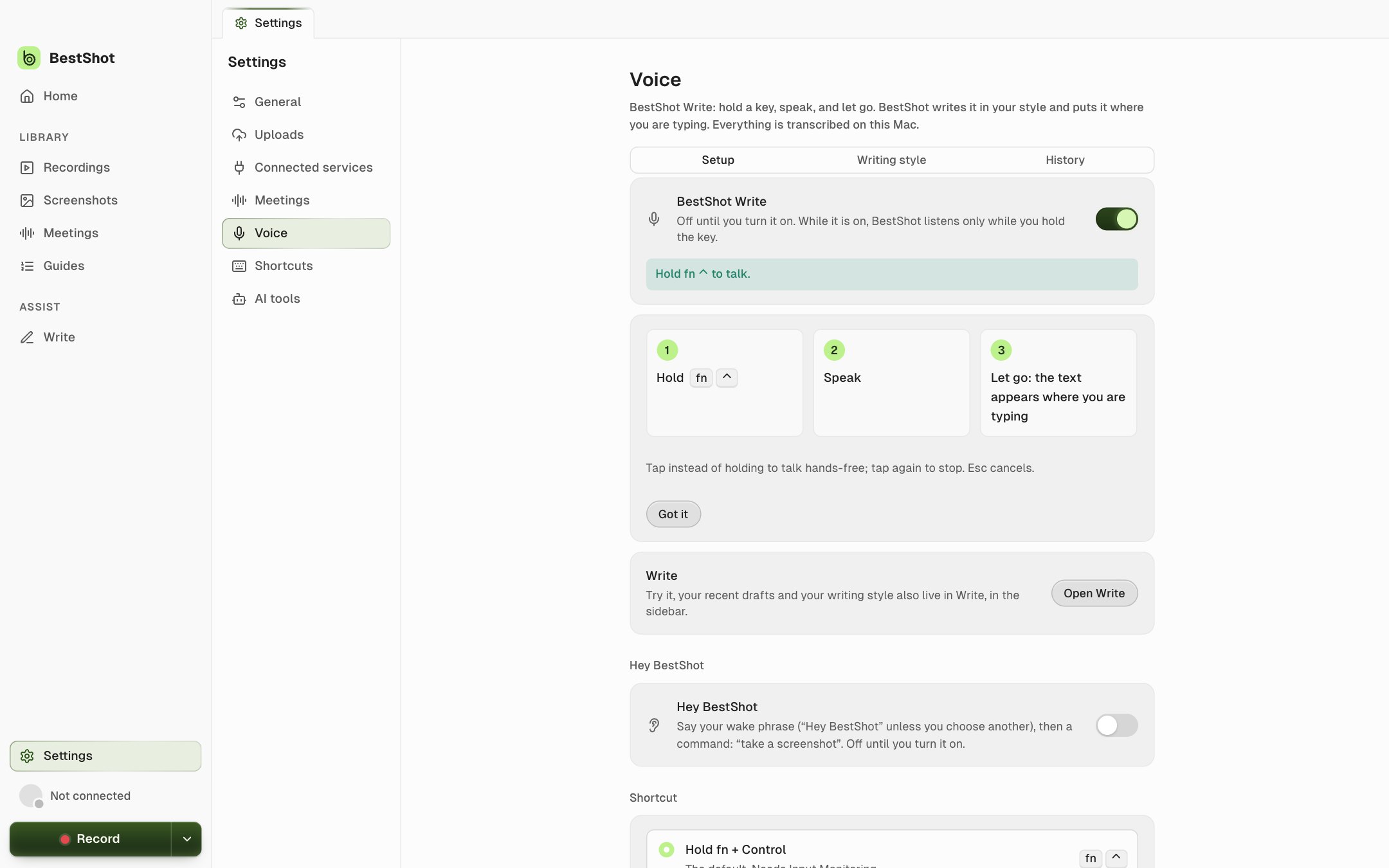
Write is on the Mac and is off until you turn it on in Settings → Voice.
Turn it on
- Open Settings → Voice and turn on BestShot Write.
- Allow the permissions it lists: Microphone, Accessibility (to paste) and Input Monitoring (for the fn shortcut).
- If no speech model is installed, download the one offered.
Use it
- Hold fn + ⌃, speak, and let go. You can switch to right Option or your own shortcut in Settings → Voice.
- Tap instead of holding to talk hands-free; tap again to finish. Esc cancels.
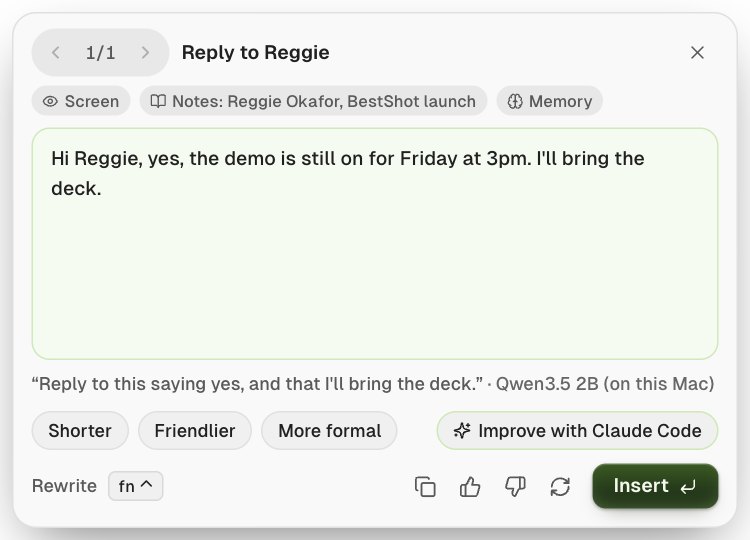
- Ask for a draft: "Write a reply to Reggie that his game is working" writes the message itself ("Hi Reggie, your game is working.") instead of typing your instruction.
- Rewrite: select text and say "make it shorter", "more formal" or "translate to Spanish".
After you speak, a card shows the result. Edit it there, try Shorter, Friendlier or More formal, then Insert or Copy.
The Write page
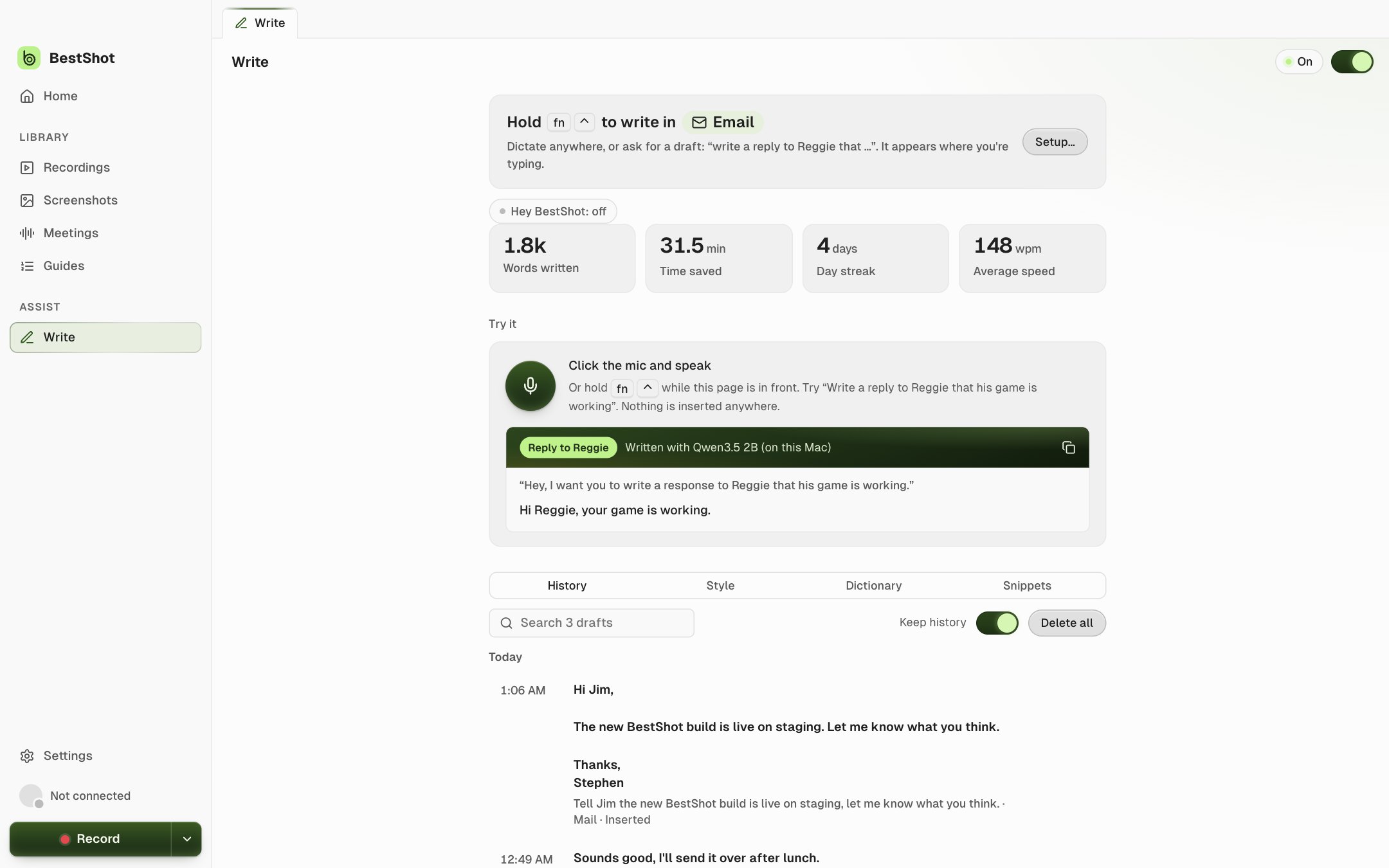
Write in the sidebar shows your stats, a Try it box (nothing is inserted anywhere), your history, and your style: tones for email and chat, greetings and sign-offs, a dictionary of names to spell right, snippets, and facts to remember.
Which AI writes
Write uses your Meetings AI provider, on your Mac by default. You can pick another in Settings → Voice, including the Claude Code or Codex app if it's on your Mac. Write also works without AI: it still cleans up "um"s and punctuation.
Privacy
- BestShot only watches your shortcut keys. What you type is never recorded.
- The microphone runs only while you're speaking, and the audio is never saved.
- Password fields are never read or pasted into.
- Drafts are kept only in your history on your Mac, which you can turn off or clear.
Still stuck? Email support and tell us what you tried.