Hey BestShot voice commands
Say your wake phrase and a command to take a screenshot, start a recording or meeting notes, or stop.
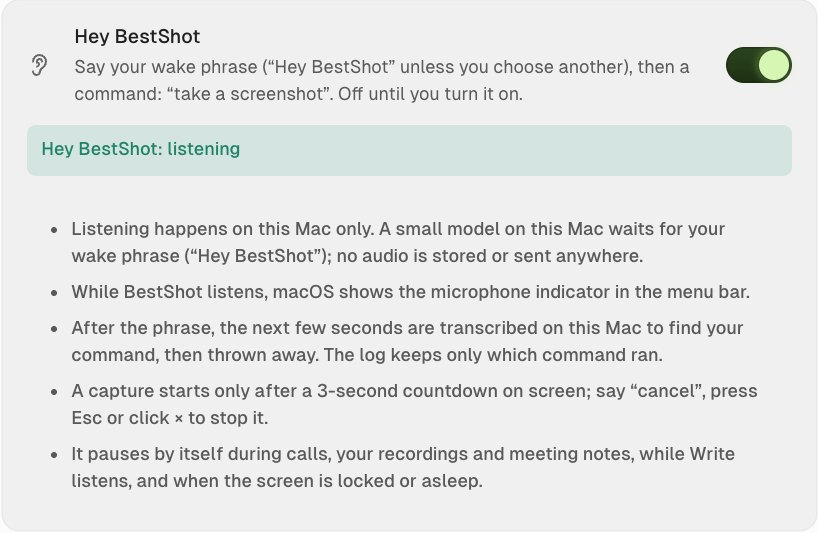
Say "Hey BestShot", then a command such as "take a screenshot", and BestShot does it. Listening happens on your Mac only, and no audio is stored or sent.
Hey BestShot is on the Mac and is off until you turn it on in Settings → Voice → Hey BestShot. The first time, it downloads a small model (17.6 MB).
Commands
| Say, after your wake phrase | What happens |
|---|---|
| "take a screenshot" | Takes a Shot (the whole screen, or an area if you choose that in Settings). |
| "take a screenshot of a window" or "of an area" | Opens the window or area picker. |
| "record the screen" | Starts a Record take with your last setup. |
| "record a window" or "record an area" | Opens the picker first. |
| "start meeting notes" | Starts a meeting. |
| "stop" | Stops the recording or meeting at once. |
| "write …" | Hands the words to BestShot Write (needs Write on). |
Screenshots, recordings and meetings start after a 3-second countdown. Say "cancel", press Esc or click × to stop it. Anything BestShot doesn't recognise does nothing.
Choose your wake phrase
Pick Wake phrase in Settings → Voice: "Hey BestShot" (the default), "OK BestShot", "Hey Shot", "BestShot", or type your own of 1 to 4 words. You can add a second phrase to listen for both. Say it 3 times checks that BestShot hears you and suggests a Sensitivity (Low, Normal or High).
When it listens
macOS shows the microphone indicator while BestShot listens. It pauses by itself during calls, your recordings and meeting notes, while Write is listening, when the screen is locked or asleep, and (if you choose) on low battery. You can also pause it for an hour from the Write page or the menu-bar icon's menu.
Still stuck? Email support and tell us what you tried.